

 02/08/2024
 Implementing Best UI/UX in App Development for Better User Experience
In the world of application development, User Interface (UI) and User Experience (UX) are two very important aspects to ensure your application not only functions well, but is also enjoyable to use. Implementing the best
 by Administrator
  Bestada
 Copy Link
  News
News Implementing Best UI/UX in App Development for Better User Experience


In the world of application development, User Interface (UI) and User Experience (UX) are two very important aspects to ensure your application not only functions well, but is also enjoyable to use. Implementing the best UI/UX is key to creating a better user experience and ensuring the success of the app in a competitive market.
What is UI and UX?
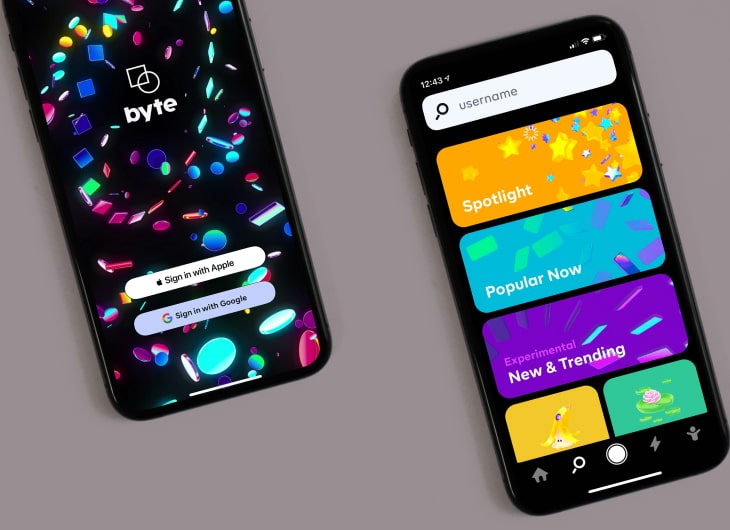
User Interface (UI) is the visual appearance of an application, including screen design, buttons, icons, and other interactive elements. A good UI should be visually appealing, intuitive, and consistent.
User Experience (UX) refers to how users interact with an application. It covers the entire user journey from the moment they open the app until they close it. Good UX ensures that users feel satisfied, find it easy to use the application, and get value from the application.
Why is UI/UX Important?
- Increases User Satisfaction: An application that is easy to use and enjoyable will make users more satisfied and more likely to continue using it.
- Increases User Retention: Good UX can increase user retention because users are more likely to return to an app that provides a positive experience.
- Increase Conversions: An attractive UI and smooth UX can increase conversion rates, whether in the form of purchases, signups, or other actions.
- Reduces Support Costs: A well-designed application will reduce the number of problems users encounter, thereby reducing costs for customer support.
Best Practices for UI/UX
-
User Research: Conduct in-depth research to understand user needs, preferences and behavior. This can be done through surveys, interviews and data analysis.
-
Responsive Design: Make sure your app works well across a variety of devices and screen sizes. Responsive design will increase accessibility and user comfort.
-
Simplicity: Avoid excessive design. The simple and clean UI makes it easy for users to navigate and find what they are looking for.
-
Consistency: Use consistent design elements throughout the application. Consistency in colors, fonts, and style helps users feel familiar and comfortable.
-
Easy Navigation: Intuitive and easy to access navigation design. Users should be able to easily find the features and information they need.
-
User Feedback: Give users direct feedback about their actions. For example, when they click a button, make sure there is a visual or audible response.
-
Usability Testing: Perform regular usability testing to identify and fix problems in the design and function of the application.
-
Accessibility: Make sure your app is accessible to all users, including those with disabilities. It includes alternative text for images, adequate color contrast, and keyboard-accessible navigation.
Case Study: Successful App with the Best UI/UX
One example of an application that has successfully implemented the best UI/UX is Instagram. With a simple design and intuitive navigation, Instagram has managed to retain millions of active users every day. Features like Stories and Reels are added in a seamless manner, which makes users feel comfortable and continuously interact with the app.
Conclusion
Implementing the best UI/UX in application development is a very worthwhile investment. By focusing on user needs and satisfaction, you can create an app that not only functions well but also provides a great user experience. Remember that UI/UX is not a one-time process, but must be continuously evaluated and improved over time to ensure your app remains relevant and competitive.
Key Takeaways

- Practical technology insight
- Business-focused implementation
- Reliable IT planning
- Continuous improvement


